 Meowdoro
The cat that
keeps you focused.
A tiny desktop cat that types along with you, runs your focus timer, and swats away distracting tabs.
PICK YOUR BUDDY
Ten coats. One very good cat.
Pick a coat. Switch any time from the menu bar.
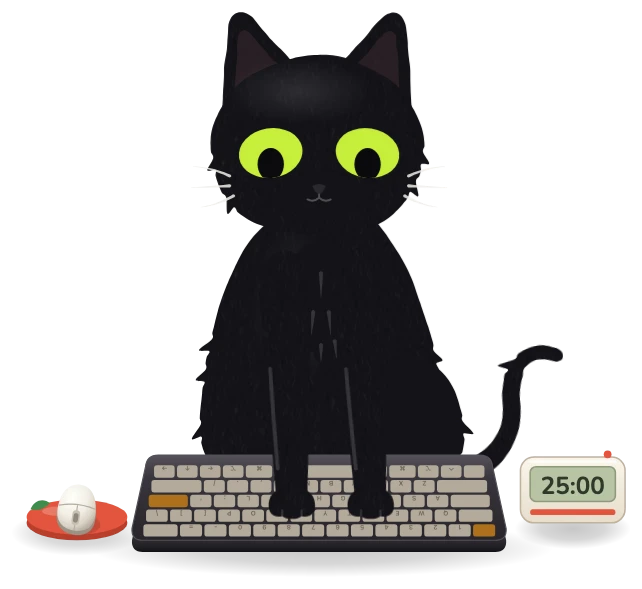
Black
SEE IT IN ACTION
Everything your cat does all day.
Focus guard.Bap. Tab closed.
Open a distracting site during focus and your cat swats it shut.
Typing buddy.A paw tap for every key.
Your cat types along with you, and never reads a word.
Focus timer.A clock that’s actually cute.
Click to start. Drag or scroll to set the time.
Nap breaks.Time to step away.
When focus ends, your cat curls up in its basket, with a few ideas for a real rest. Prefer to keep working? Breaks can stay in the corner instead.
Ten coats.Pick your favorite.
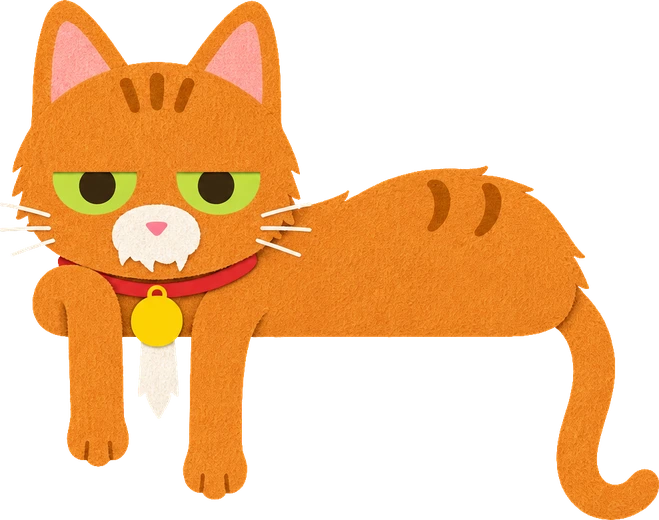
Black, ginger, Siamese, calico and more. Switch any time and your cat changes right on your desktop.
Pat your cat.Press and hold.
Hold the cat to give it a pat. It closes its eyes, purrs, and shows a little heart.
Stats & settings.All in one place.
See your streak and the last 7 days, set a daily goal, and tune the timer, breaks, sounds and focus guard.
PRICING
Less than a coffee. Yours forever.
- Desktop cat that types with you
- All ten coats
- Pomodoro focus timer
- Custom keyboard sounds
- Focus guard tab swats
- Nap breaks
- Works offline, no account
- Never reads what you type
GOOD TO KNOW
Questions, answered.
Is it really just $3?
Yes. One payment, no subscription, no ads. Every coat, sound and feature is included, and future updates are free.
Can I get a refund?
Of course. If Meowdoro isn’t right for you, email us at hello@getmeowdoro.com within 3 days of buying and you’ll get a full refund, no questions asked.
Which Macs does it run on?
Any Mac running macOS 14 Sonoma or later, Apple silicon (M1 and newer) or Intel.
Is there a Windows version?
It’s coming soon. The Mac version is available today.
Does Meowdoro read what I type?
No. It only notices that a key was pressed so the paws can tap. Nothing you type is saved, logged or sent anywhere, and the app works fully offline.
Why does macOS ask for permissions?
Two quick ones. Accessibility lets the cat tap along as you type and find the tab to swat, and Browser control lets the Focus guard close distracting tabs. You can allow them any time from the Permissions page in the menu, or turn them off in System Settings; the cat just won’t tap or swat.
Will it slow down my Mac?
Barely. The cat idles at around 2% CPU and only animates while you type or move the mouse.
How does the focus timer work?
Click the little clock on the desk to start a session. Drag up or down on it, or scroll over it, to change the time. Focus and break lengths are adjustable in the menu.
What is the Focus guard?
During focus time, if you open a site you’ve marked as distracting, your cat reaches over, closes the tab and shakes its head. Choose your sites, use gentle mode for a soft tap, or turn it off completely.
Which browsers does the Focus guard work with?
Safari, Chrome and most Chromium browsers like Arc, Brave and Edge.
Can I change my cat’s coat?
Yes, ten coats: black, ginger, grey tabby, tuxedo, white, Siamese, Russian Blue, calico, tortoiseshell and fluffy longhair. Switch any time from the menu bar.
Does it make keyboard sounds?
Yes, if you like. Pick from four sounds made from a real recorded keyboard: Classic, Deep, Crisp and Soft. Or choose any audio file of your own. Your pick is remembered for next time.
Can I move or hide the cat?
Drag it anywhere on your screen, or hide it from the menu bar when you need a clean desktop.
Does it work with multiple monitors and full-screen apps?
Yes. The cat stays on the screen you put it on and sits above your other windows.